Build vs Buy: How to Decide on Custom SaaS
Should you build custom software or buy an existing SaaS product? Five questions, a comparison table and a hybrid option to help you decide with clear eyes.
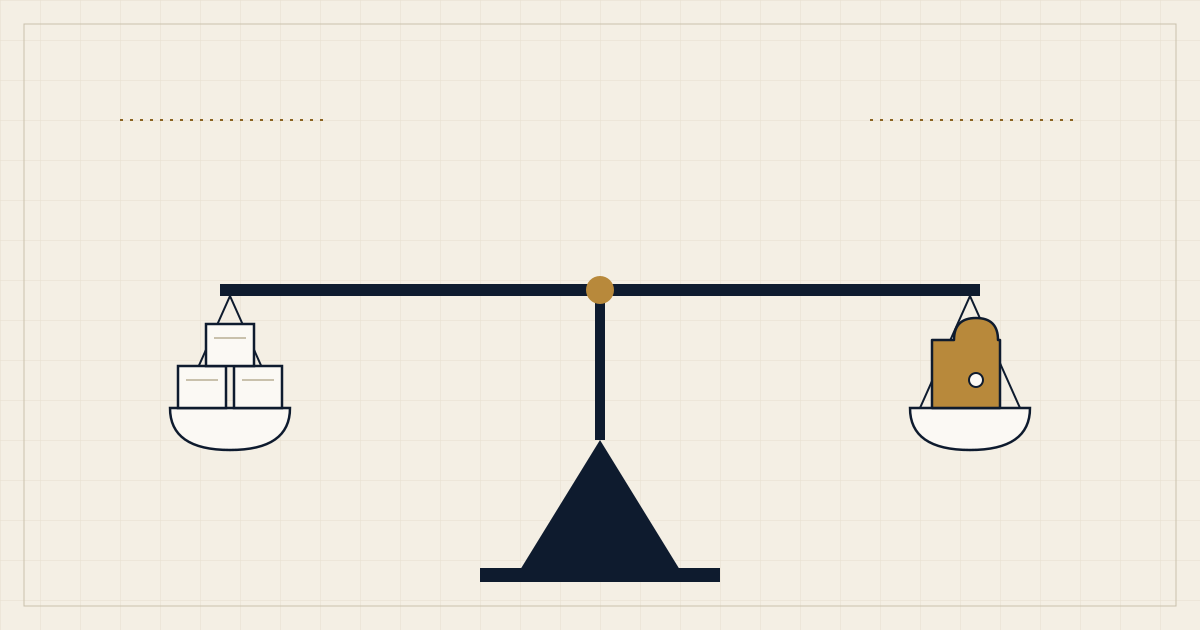
Every growing business reaches the same fork. A process is straining the tools you have, and someone asks: should we buy a product that already exists, or build something that fits us exactly?
Both answers can be right. The mistake is treating the choice as a matter of taste (“we only buy” or “we only build”) instead of a decision about a specific capability, with specific trade-offs. This guide gives you a way to work through it.
Decide about a capability, not a tool
“We need a CRM” or “we need a client portal” sounds like a product decision, but it hides the real question: what job must this capability do for the business, and how unusual is that job?
Write the job down in one or two sentences before you look at any vendor. For example: “Account managers need to see every open request from a customer, assign it, and promise a delivery date that reflects real capacity.” That sentence is more useful than a feature checklist, because it lets you test any option, bought or built, against the same outcome.
Five questions that do most of the work
1. Is this how we win, or just how we operate?
If the capability is part of what makes you different (a pricing model, a matching algorithm, a customer experience nobody else offers), building starts to look attractive, because a product that every competitor can also buy cannot be a differentiator. If it is plumbing that every company in your field needs in roughly the same way (payroll, email delivery, basic invoicing), buying is usually sensible.
2. Does the product fit the process, or does the process have to bend?
Some bending is healthy. A well-designed product often encodes good practice, and adapting to it can improve how you work. The warning sign is when you keep adding workarounds: spreadsheets on the side, manual re-entry between systems, rules that live in one person’s head. Workarounds are a cost, and they tend to grow.
3. What will integration really cost?
A product that does its own job well but cannot exchange data cleanly with the rest of your systems moves the cost somewhere else. Check what the product exposes (documented APIs, webhooks, exports), what you would need to connect, and who will keep those connections running when either side changes.
4. Who owns it after launch?
Custom software is not finished when it ships. It needs security updates, dependency upgrades, hosting, monitoring, bug fixes and someone who decides what to build next. Bought software moves much of that to the vendor, but you still own configuration, user management, training and the relationship. Be honest about who will do the ongoing work in each scenario, and whether that is a person, a team or a partner.
5. What happens if circumstances change?
Ask what a reversal would look like. Can you export your data in a usable form from a bought product? Is the pricing model likely to punish you as you grow, for instance per seat or per record? If you build, can another developer pick up the code? Do you own the repository and the infrastructure accounts? A decision that is easy to reverse deserves less deliberation than one that is not.
Comparing the two at a glance
The table below is a starting point, not a verdict. Your context may shift any row.
| Factor | Buying usually wins when | Building usually wins when |
|---|---|---|
| Differentiation | The capability is common to your whole industry | The capability is part of your competitive edge |
| Process fit | Your process is standard, or you are happy to adopt the product’s | Your process is distinctive and workarounds keep piling up |
| Time to first use | You need something working quickly | You can invest time in something shaped to you |
| Cost shape | You prefer a predictable subscription | Per-seat or per-record pricing would grow painfully with you |
| Control and data | Export and API options are good enough | You need full control over data, logic and roadmap |
| Ongoing effort | You have little capacity for maintenance | You have, or will hire or contract, the capacity to maintain it |
Costs that are easy to miss
When buying, teams often underestimate the effort of configuring the product, migrating data, training people and managing access. They also underestimate how often the final stretch of a requirement needs a workaround. Contracts, renewal terms and pricing changes belong in the analysis too.
When building, teams often underestimate maintenance, security, hosting, monitoring and support. They forget the product management work: someone has to decide what to build, say no to requests, and write down how it works. A custom system without an owner decays quickly.
Neither list is an argument against either route. They are reminders to compare the whole life of each option, not just the first invoice.
The third option: buy the commodity, build the difference
The choice is rarely all or nothing. Many successful systems combine both. They buy the parts that are the same everywhere, such as authentication, payments, email delivery, file storage and calendar scheduling, and build the parts that carry their particular logic, experience or data.
This approach keeps the custom surface area small, which reduces both cost and risk, and it focuses your engineering effort where it matters. It also works well with a staged plan: start with a product, learn where it hurts, and replace only the painful part with custom software when the evidence is clear.
A simple decision process
- Write the job the capability must do, in plain language, with two or three real scenarios.
- List the must-haves separately from the nice-to-haves. Be strict: a must-have is something the business cannot operate without.
- Trial one or two products against your real scenarios, using real data where possible, not the vendor’s demo.
- Sketch the smallest useful custom version. You do not need a full design, only enough to understand the shape of the effort and the main risks.
- Compare reversibility. Which option is easier to leave if you are wrong in a year?
- Decide who owns the result and write down their name before you commit.
If one option clearly wins on the must-haves and ownership, you are done. If it is close, pick the one that is cheaper to reverse and revisit the decision when you have more evidence.
Warning signs to watch for
- You are building because the existing tool is “ugly” or because building feels more interesting. Those are not business reasons.
- You are buying because the demo was impressive, but nobody has tested your hardest scenario.
- The requirement list changes every week. Stabilize the problem before choosing the solution.
- Nobody can say who will maintain the result in two years.
- The plan treats integration as an afterthought.
Where to go from here
A good build-or-buy decision is a short piece of written reasoning, not a long procurement exercise. If you are weighing the options for a specific capability, we are happy to look at it with you, whether the answer turns out to be a product, a custom build or a mix of both. You can get in touch with a short description of the job you need done.